Dependencies
Real applications talk to other things — other services, and managed infrastructure like databases and queues. On DevsPortal you don't look up hostnames or copy connection strings into config. You declare what your Workload needs, and the platform resolves the address, injects it as an environment variable or file, and opens the right network path.
There are two kinds of dependency:
- Endpoint dependencies — on another component's endpoint.
- Resource dependencies — on a managed Resource (database, queue, cache, object store).
DevsPortal is built on the Control Plane Operator engine. The
openchoreo.dev/v1alpha1 Workload resource and occ CLI below are unchanged engine
internals.
The portal UI is the recommended path; the equivalent occ CLI commands follow for scripting.
Declaring dependencies in the portal
In the Create Component wizard (and when editing a component's workload later), the Service Details step lets you add dependencies alongside the component's own endpoints:
- Endpoint dependency — pick a target component and one of its endpoints, choose the visibility to consume it at, and map the connection details onto environment-variable names.
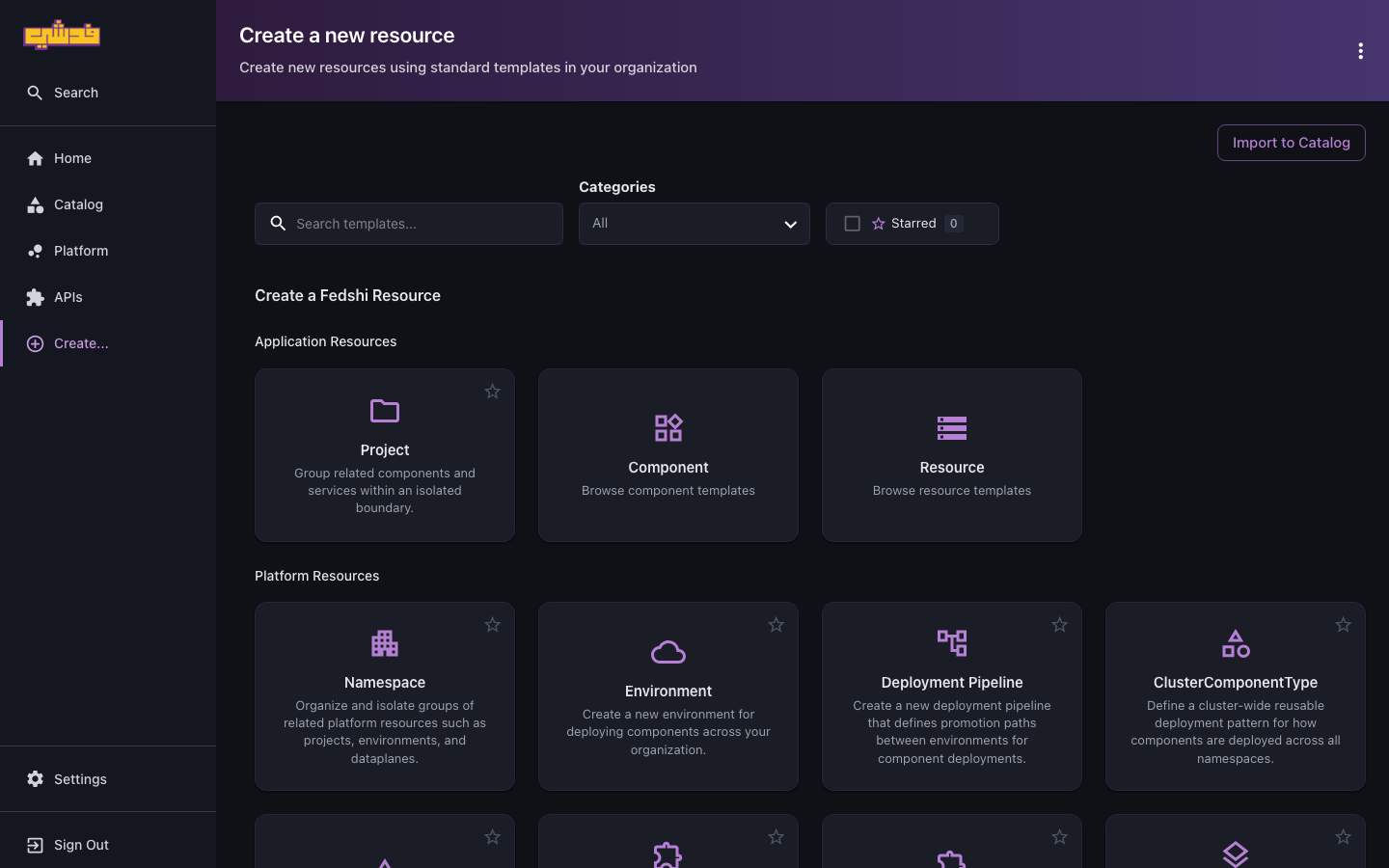
- Resource dependency — pick a Resource in the same project and map its outputs onto environment variables or file mounts. If the Resource doesn't exist yet, create it first from Create… → Resource under Application Resources:
The portal writes the same spec.dependencies block documented below. The rest of this
page is the full field reference for that block, whether you fill the form or author the
YAML directly.
Endpoint dependencies
When your component consumes another component's endpoint, the platform resolves the target address, injects it into your container as environment variables, and configures the NetworkPolicy that allows the traffic. You never hardcode a service URL.
Declare them under spec.dependencies.endpoints:
apiVersion: openchoreo.dev/v1alpha1
kind: Workload
metadata:
  name: storefront
  namespace: fedshi
spec:
  owner:
    projectName: storefront
    componentName: storefront
  container:
    image: registry.idp.fedshi.com/storefront/storefront:2.1.0
  endpoints:
    http:
      type: HTTP
      port: 3000
      visibility: [external]
  dependencies:
    endpoints:
      - component: cart-api
        name: http
        visibility: project
        envBindings:
          address: CART_API_URL
Here the storefront component depends on cart-api's http endpoint. The platform
resolves the address and injects it as CART_API_URL. Your code reads that env var — it
never needs to know the cluster DNS name.
Dependency fields
| Field | Required | Description |
|---|---|---|
component | Yes | Name of the target component |
name | Yes | Name of the endpoint on that component |
visibility | Yes | Scope to consume at — project or namespace |
project | No | Target's project (defaults to your own project) |
envBindings | Yes | Maps connection details to env var names |
envBindings can inject any combination of: address (the full connection string),
host, port, and basePath. address is the one you'll use most:
envBindings:
  address: AUTH_SERVICE_URL    # http://host:port/basePath  (or host:port for gRPC/TCP/UDP)
  host: AUTH_SERVICE_HOST
  port: AUTH_SERVICE_PORT
Same-project vs cross-project
The visibility field decides the network scope, and the rule is symmetric: the target
endpoint must declare a visibility equal to or broader than what you consume at.
Same project — use project visibility and omit project (it defaults to yours):
dependencies:
  endpoints:
    - component: cart-api
      name: http
      visibility: project
      envBindings:
        address: CART_API_URL
Different project in the same namespace — use namespace visibility and name the
target's project:
dependencies:
  endpoints:
    - component: shared-auth
      name: http
      visibility: namespace
      project: platform-services
      envBindings:
        address: AUTH_SERVICE_URL
        host: AUTH_SERVICE_HOST
        port: AUTH_SERVICE_PORT
For this to resolve, the shared-auth Workload must expose its endpoint with namespace
(or broader) visibility:
# in the platform-services project
endpoints:
  http:
    type: HTTP
    port: 8080
    visibility: [namespace]   # required for cross-project access
If a cross-project dependency fails with connection refused, the usual cause is that the
target endpoint isn't exposed at a broad enough visibility. Ask the owning team to add
namespace to its endpoint's visibility array. See
Workloads and endpoints → visibility.
A single Workload can declare up to 50 endpoint dependencies.
Resource dependencies
A Resource is a managed piece of infrastructure — a Postgres database, a NATS queue, a Redis cache, an object-store bucket — provisioned from a platform-defined ResourceType. Your component consumes it by declaring a resource dependency and binding its outputs into your container.
Declare them under spec.dependencies.resources:
apiVersion: openchoreo.dev/v1alpha1
kind: Workload
metadata:
  name: cart-api
  namespace: fedshi
spec:
  owner:
    projectName: checkout
    componentName: cart-api
  container:
    image: registry.idp.fedshi.com/checkout/cart-api:1.4.0
  dependencies:
    resources:
      - ref: cart-postgres
        envBindings:
          host: DB_HOST
          port: DB_PORT
          username: DB_USER
          password: DB_PASSWORD
          database: DB_NAME
cart-api depends on the cart-postgres Resource. The platform reads that resource's
resolved outputs and injects each as the named env var. Crucially, sensitive outputs (the
password) arrive as a Secret reference — only the {name, key} pointer crosses the control
plane; the credential itself is read from the data-plane Secret when the pod starts and
never lands in a manifest or status.
Resource dependency fields
| Field | Required | Description |
|---|---|---|
ref | Yes | Name of the target Resource (must be in the same project) |
envBindings | No* | Maps a ResourceType output name → an env var name |
fileBindings | No* | Maps a ResourceType output name → a container mount path |
*An entry needs ref plus at least one of envBindings or fileBindings. You list only
the outputs you actually use — others are ignored.
fileBindings mount an output as a file (useful for certificates and keys); the referenced
output must be backed by a Secret or ConfigMap:
dependencies:
  resources:
    - ref: cart-mtls-creds
      fileBindings:
        ca-bundle:   /etc/ssl/certs/ca-bundle.pem
        client-cert: /etc/ssl/certs/client.crt
        client-key:  /etc/ssl/private/client.key
Deployment gating
The platform won't render your Deployment until every resource dependency reports Ready.
You don't race a half-provisioned database — your pod simply waits until its dependencies
exist, then starts with the connection details already in place.
Mixing both
Endpoint and resource dependencies coexist in one Workload, and the render gate waits for both:
dependencies:
  endpoints:
    - component: collab
      name: ws
      visibility: project
      envBindings:
        address: COLLAB_URL
  resources:
    - ref: cart-postgres
      envBindings:
        host: DB_HOST
        port: DB_PORT
        username: DB_USER
        password: DB_PASSWORD
        database: DB_NAME
    - ref: cart-events
      envBindings:
        url: EVENTS_URL
Verifying what got injected
In the portal: open the component, check the Deploy tab to confirm the environment
is Ready (deployment is gated on every resource dependency, so a Ready binding means
the connection details resolved), and use the Logs tab to confirm the app connected.
Or with the occ CLI, confirm the variables landed by exec-ing into the running pod:
occ component exec cart-api -n fedshi -p checkout --env development -it -- env | grep -E 'CART|DB_'
You'll see resolved addresses, with secret-backed values loaded at pod-start rather than printed into the spec:
CART_API_URL=http://cart-api.<cell-namespace>.svc.cluster.local:8080
DB_HOST=postgres-cart.<cell-namespace>.svc.cluster.local
DB_PORT=5432
DB_USER=cart
DB_NAME=cart
DB_PASSWORD=<value loaded from Secret at pod-start>
What's next
- Workloads and endpoints — the Workload and visibility model these dependencies build on.
- Deploy and promote — how dependencies behave across environments.
- For who provisions Resources and ResourceTypes, see Concepts → platform abstractions.